Popup
Click the extension icon or use its browser shortcut. Start typing—the first result is ready to run.
 ActionHelm
Get started
ActionHelm
Get started
Turn short phrases into links, environment switches, and prepared content. Run them from the popup, side panel, or address bar.
● Local by design · Chrome & Firefox · No account
Choose Commands → + Command, or use the add-page icon in the popup.
Pick a page, environment, view switch, or clipboard action.
Use something memorable like docs, then save and run it anywhere.
All launchers share matching, page rules, groups, and recent-command history.
Click the extension icon or use its browser shortcut. Start typing—the first result is ready to run.
Keep commands beside the page. Open it with Ctrl/⌘ + Shift + E or from the popup.
Type a dot, press Space, then enter a command. This works in Chrome and Firefox.
Create page and copy commands yourself. Environment commands appear automatically from your environment configuration.
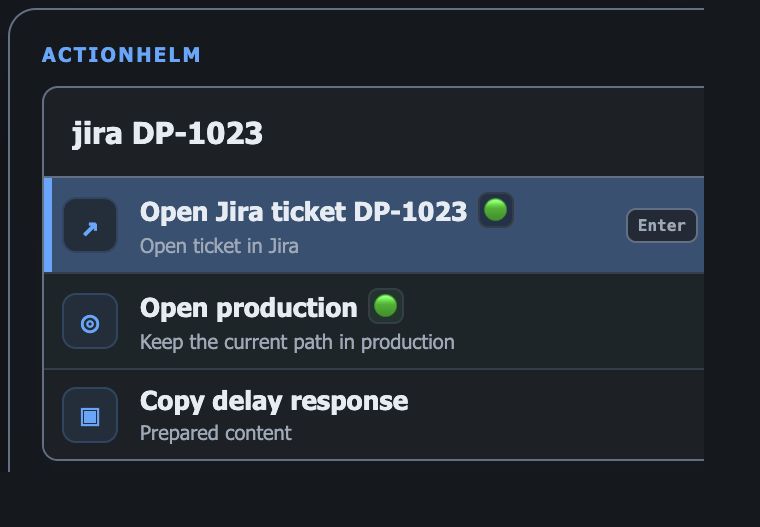
Open a fixed or parameterized URL in a new tab.
jira {TICKET}
Commands are generated from matrix cells and URL variants, carrying the remaining path and matched variables into the destination.
Stg App {LANG}
From a matched page, move across application columns or between environment rows without leaving the project matrix.
Switch to Stg - Admin
Copy reusable plain or formatted text, including tables.
reply delay
Add typed parameters to custom commands or define text, number, and enum variables shared by URL templates in a matrix.
Common typos and transposed characters still find the intended command. Aliases add more accepted inputs.
The popup and side panel keep your 10 latest commands close. Parameter values are never stored in history.
Use Show on selected pages to make a command appear only on matching URLs—in every launcher.
See commands and environments together in one hierarchical view. Only environments assigned to the same group generate switches between one another.
Link commands open a new tab by default. Start a launcher query with a dot to run the result in the current tab.
Assign environments to project groups such as Work or Personal. Each project gets an isolated navigation set.
Define production, staging, and QA rows, choose one default, then add app, admin, API, and custom columns. Each cell supports a primary URL and named variants.
Use placeholders such as {LANG} in cell URLs. Matched values follow you between destinations; configured defaults apply outside the matrix.
Disabling a project hides its custom commands and assigned environments. Environment switches never cross project boundaries.
Both modules are off by default and request their permissions when enabled.
Prepare reusable text with formatting, links, lists, and tables. Named parameters work inside copied content.
Show the matched environment directly on a page. You choose the exact domains and can revoke access at any time.
Export everything or select individual commands, groups, and environments. Import previews detect duplicates and conflicts before saving.
See totals for today, week, month, and all time, plus your top five commands. Entered parameter values are not recorded.
No accounts, ads, analytics, or developer-operated backend. Configuration, recent history, and statistics stay in browser storage.
Ready when you are
You can reorganize, add parameters, and enable optional modules later.
Open the user guide